Walk down any hardware aisle, and you’ll spot two tools that look nearly identical yet behave completely differently: the cordless drill and the impact driver. You might wonder whether buying both is overkill—can one really do the other’s job? The short answer is that an impact driver can handle many tasks you’d normally grab a drill for, but it falls short in several critical areas. Understanding exactly where each tool shines saves you stripped screws, ruined workpieces, and sore wrists.
In this guide, we break down the mechanics, compare real-world performance, and walk through project scenarios so you know when an impact driver can substitute for a drill—and when it absolutely shouldn’t.
How Impact Drivers and Drills Actually Differ
At a glance, both tools spin a bit. That’s where the similarity ends. A drill produces smooth, continuous rotation, aided by an adjustable clutch that limits torque to avoid overdriving fasteners. An impact driver, by contrast, combines rotation with a rapid hammer-and-anvil mechanism that delivers bursts of concussive force (impacts) the moment it meets resistance.
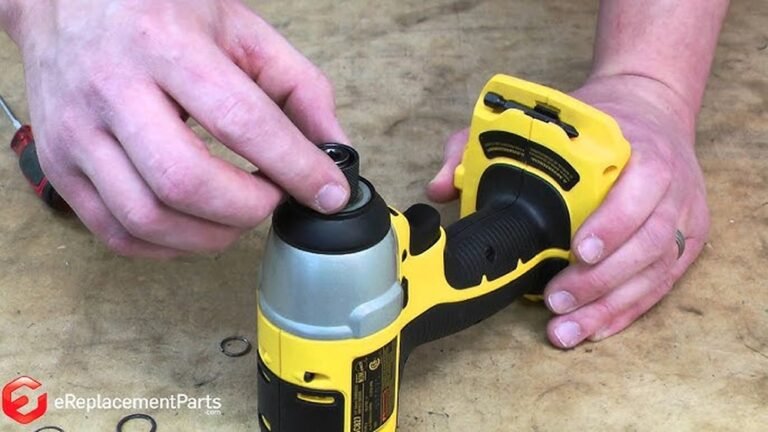
This fundamental difference affects everything from the chuck to the bits you use. Drills almost always feature a three-jaw keyless chuck that accepts round-shank bits of any size up to its rated capacity. Impact drivers use a spring-loaded hex collet that only accepts ¼-inch hex-shank accessories. That dedicated collet makes bit changes lighting-fast, but it also limits what you can chuck up without an adapter.
Because impact drivers excel at the primary applications of an impact driver, they’ve become the go-to for heavy fastening jobs. But a drill’s precise control and compatibility with a wider array of bits keep it indispensable.
Under the Hood: How an Impact Driver Delivers Its Power
Inside an impact driver, a motor spins a spring-loaded hammer that strikes an anvil multiple times per second—typically hundreds or even thousands of impacts per minute. Those tiny rotational blows multiply effective torque far beyond what the motor alone could produce. In practice, a compact 18V impact driver can easily deliver over 1,500 in-lbs of torque, while a similarly sized drill/driver might peak around 500–600 in-lbs.
That surge of force does two things. First, it drives large fasteners into dense materials without bogging down. Second, the intermittent impact action virtually eliminates the reactionary twist that tries to wrench your wrist. When you sink a 4-inch lag screw into a pressure-treated post, you’ll feel almost zero kickback, something a drill simply cannot offer.

Image source: www.sirelmagroup.it
One more advantage: the impact mechanism reduces cam-out—the tendency of a bit to slip out of the screw head. In a drill, once the torque demand spikes, the bit can ride up and strip the fastener. An impact driver’s hammering action keeps the bit seated, so screw heads stay intact even under heavy load. If you’ve ever fought a deck screw with a drill and stripped the head, you’ll immediately appreciate the difference.
A common mistake is assuming more impact force always means faster work. In truth, the driver only engages the impact mechanism once resistance rises. During low-demand tasks, it spins smoothly like a drill, albeit with less speed variability.
Where a Drill Still Reigns: Smooth Rotation and Precision
A drill’s core strength lies in its steady, controllable rotation. Variable-speed triggers and two-speed gearboxes let you dial in exactly the RPM you need, while an adjustable clutch—typically a numbered ring—disengages the drive when a preset torque is reached. That clutch prevents overdriving screws past the surface, something an impact driver cannot do with the same finesse.
For drilling clean holes, smooth rotation matters. An impact driver’s constant hammering can cause the bit to wander, chip the edges of the hole, or create a slightly oversized bore. When you’re sinking dowel joints, drilling a pocket hole for furniture, or boring through brittle tile or glass, a drill’s uninterrupted motion and precise speed control produce far neater results.
Another key distinction: hammer drills. These combine rotation with a front-to-back pounding action for masonry. An impact driver’s rotational impacts are perpendicular to the fastener, making it ineffective for concrete and brick. If you plan to drill into block or stone, only a dedicated hammer drill or a rotary hammer will do. For everything else, a compact versatile drill for workshop tasks often handles the job without overcomplicating your setup.
Can an Impact Driver Drill Holes? The Short Answer
Yes, an impact driver can drill holes—if you use the right accessories. Hex-shank drill bits are widely available, with standard twist bits, spade bits, and even step bits equipped with the required ¼-inch hex base. For quick, rough holes in wood, drywall, or thin metal, an impact driver gets the job done, often faster than a drill because of the high torque.
However, there are real limitations. Because the collet doesn’t center a round shank as precisely as a three-jaw chuck, you may notice slight runout—the bit wobbling as it spins. This runout makes exact hole placement challenging. Large-diameter bits, Forstner bits, and hole saws typically lack a hex shank, and even if you use an adapter, the impact driver’s jarring action can tear up the cutting edges or bind in the material.
Before you attempt precision drilling with an impact driver, consider the material. Softwoods and pine are forgiving, but hardwoods, laminates, and acrylics can crack or chip under percussive force. In practice, if you need a hole that a dowel or bolt must fit snugly into, reach for a drill.
Head-to-Head: Torque, Speed, and Control
Understanding the numbers helps you see where each tool fits. The table below compares typical performer specs for 18V/20V brushless models.
| Feature | Cordless Drill/Driver | Impact Driver |
|---|---|---|
| Torque (max) | 400–600 in-lbs | 1,500–2,200 in-lbs |
| No-Load Speed | 0–550 / 0–2,000 RPM (two ranges) | 0–1,100 / 0–2,800 RPM (two ranges) |
| Chuck Type | ½-inch keyless ratcheting | ¼-inch hex quick-release |
| Bit Compatibility | Round and hex shanks, wide variety | Only ¼-inch hex shank (or adapter) |
| Clutch | 15+ position adjustable clutch plus drill mode | No clutch; relies on user feel |
| Impact Mechanism | None (except hammer-drill mode on some) | Rotary hammer-and-anvil, up to 3,500 IPM |
| Weight | 3–5 lbs with battery | 2.5–4 lbs with battery |
| Best For | Drilling precise holes, light fastening, mixing | Driving large screws, lag bolts, automotive work |
Most DIYers find that the amount of twisting force you actually need depends on the material and fastener size. For #8 screws in pine, a drill’s clutch setting 5 might be perfect; for a ½-inch lag bolt into oak, only an impact driver will do without stalling.
Bit Compatibility and Quick Changes
One practical distinction that catches folks off guard is the bits themselves. Drills let you insert anything with a round shank—twist bits, brad-point bits, Forstner bits, wire wheels, and even mixing paddles. Impact drivers require accessories with a ¼-inch hex shank and a retention groove, though you can buy a chuck adapter that converts the hex collet to a standard three-jaw drill chuck. That adapter introduces extra length and wobble, negating some of the precision you’d want.
On the plus side, changing bits on an impact driver is ridiculously fast. Pull the collar, pop the old bit out, slide the new one in, and release—no twisting. That speed adds up when you’re constantly switching between pilot drilling and driving, like when building a deck. Just be sure to invest in a quality bit set that matches your chuck system; impact-rated bits are hardened to withstand the pounding and last far longer than standard bits in an impact environment.
Real-World Scenarios: When an Impact Driver Can Replace a Drill
There are jobs where an impact driver can genuinely stand in for a drill, and you might never miss the drill at all.
- Deck building and framing: Driving hundreds of structural screws, timber screws, or lag bolts. An impact driver sinks them without hesitation and won’t twist your arm into next week.
- Automotive and machinery repair: Removing stuck bolts, driving self-tapping screws into metal, and loosening corroded fasteners. A mid-torque impact driver with a hex-to-square adapter handles light-duty lug nuts. Pair it with a model meant for heavy-duty fastening tasks and you’re covered.
- Assembling large flat-pack furniture: When cam locks and wood screws are numerous, an impact driver makes quick work. Just dial back your trigger pull to avoid over-tightening.
- Rough hole drilling in wood: With a hex-shank spade bit or a set of hex twist bits, you can bore holes for conduit, wires, and plumbing rough-ins in framing lumber. The holes won’t be furniture-grade clean, but they’ll be functional.
- Securing ledger boards and brackets: For woodworking tasks that involve lag bolts or heavy-duty fasteners, an impact driver provides the muscle without fatigue.
 High torque and impacting action break free rusted fasteners with far less physical effort than a breaker bar.
Credit: onevantool.com
In many of these cases, you might not need a drill at all. But notice the pattern: the work centers on driving fasteners, not creating precise holes.
When You Absolutely Should Use a Drill
Other tasks demand the drill’s finesse and versatility, and an impact driver will either do a poor job or potentially damage your workpiece.
- Precision drilling: Dowel joints, shelf pin holes, mortising, and any hole where diameter matters. The smooth rotary motion and absence of wobble ensure a consistent size.
- Drilling metal and plastic: Constant rotation without impacts prevents cracking thin acrylics or work-hardening stainless steel. Use cutting oil and a drill’s lower speed range.
- Masonry and concrete: Only a hammer drill or rotary hammer can deliver the axial pounding needed. An impact driver’s rotational impacts won’t penetrate brick effectively.
- Mixing paint, thin-set, or grout: A drill with a side handle runs a mixing paddle at sustained low speed—an impact driver would spatter material and overheat.
- Using large-diameter hole saws: Adapters are clunky, and the impact mechanism can cause the saw to bind or kick. A drill with a side-assist handle provides far safer control.
- Driving small, delicate fasteners: #6 trim-head screws and machine screws can snap under impact. A drill with a light clutch setting seats them flush without breakage.
 The drill (left) uses a keyless chuck for round bits; the impact driver (right) relies on a quick-release hex collet.
Credit: www.youtube.com
In short, if the outcome depends on smoothness, accuracy, or chip-free edges, the drill is the right call. The Power Tool Institute consistently advises matching the tool to the task’s safety and material requirements—a reminder that using the wrong tool can damage both the project and the tool itself.
Ergonomics, Fatigue, and Wrist Strain
Long fastening sessions reveal another clear advantage of the impact driver. The percussive action transfers torque to the anvil, not your hand. You can drive a dozen 3-inch screws and feel minimal fatigue, whereas a drill might leave your forearm tight after just a few. That reduction in reactionary force also lowers the risk of repetitive strain injuries, something OSHA’s ergonomics guidelines highlight as critical for anyone using power tools repeatedly.
Impact drivers tend to be shorter and lighter, which helps in tight spaces—inside cabinets or between studs. The downside is noise and vibration. The impacting mechanism creates a loud, high-pitched chatter; hearing protection is a must. For users sensitive to vibration or who prefer a more muted tool, lightweight, low-vibration cordless drill designs—particularly those that consider balance and grip size—can be more comfortable throughout a day’s work. Exploring lightweight, low-vibration options often yields tools that are easier on the hands without sacrificing performance.
Starting Out: Should You Buy a Drill, an Impact Driver, or Both?
If you’re assembling your first toolkit, the decision comes down to which projects you’ll tackle most often. A beginner assembling furniture, hanging pictures, and drilling the occasional pilot hole can get by with a good cordless drill alone. But as soon as you start building a deck, running large fasteners, or working on a car, an impact driver pays for itself in speed and reduced frustration.
Today’s manufacturers frequently bundle a drill/driver and an impact driver into a single combo kit with two batteries and a charger. These kits often cost only marginally more than buying either tool separately, making them the smartest entry point. A thoughtfully curated starter kit gives you both tools on the same battery platform, covering 90% of home improvement and woodworking tasks right out of the box. For lighter household jobs, a capable home-use drill with a clutch and hammer function might handle everything you need without the extra noise.
If you’re leaning toward a combo set, check out our roundup of starter kits that pair a drill with an impact driver so you can handle fastening and drilling without compromise.
Expert Tips for Long-Term Tool Performance
Whichever tools you own, a little maintenance extends their life significantly.
- Clean the chuck and collet regularly. Sawdust and metal shavings cause slippage. Blast the chuck with compressed air and wipe the collet’s jaws.
- Use impact-rated bits in the impact driver. Standard bits can shatter under repeated hammering. Look for bits marked “impact ready” or “torsion zone.”
- Monitor battery health. Lithium-ion packs last longer when stored at 40–80% charge in a cool, dry place. Avoid leaving batteries in a hot vehicle or completely draining them before recharging.
- Charge only with the manufacturer’s charger. Third-party chargers can overheat batteries and reduce lifespan. If your charger acts up, refer to our guide on why a charger may refuse to charge a battery.
- Keep one of each tool when you can. Having a drill for pilot holes and an impact driver for driving speeds up workflow dramatically. You’ll rarely remove one bit all day.
When you’re choosing a model with sufficient torque and speed, consider brushless motors. They run cooler, deliver more runtime per charge, and eliminate brush wear. While they cost more upfront, the upgrade is worth it if you use the tool weekly.
Frequently Asked Questions
Can an impact driver completely replace a drill? Not completely. An impact driver can drive screws and bore some holes with hex-shank bits, but it can’t match a drill’s precision, clutch control, or compatibility with round-shank accessories. For clean, accurate holes or delicate fastening, a drill remains essential.
Do I still need a drill if I own an impact driver? In most cases, yes. An impact driver handles tough fastening, but you’ll reach for a drill whenever you need to drill precise holes, use a hole saw, mix materials, or fasten small screws with a clutch. The two tools complement each other.
Is it okay to use regular drill bits in an impact driver? Only if they have a ¼-inch hex shank. Round drill bits will not seat in an impact driver’s collet. Even with an adapter, standard bits can break under impacts. Use bits rated for impact use.
Why does an impact driver make that loud hammering noise? The noise comes from the internal hammer striking the anvil at high speed. It’s normal and signals the tool is engaging its impact mechanism under load.
Which tool is better for driving deck screws: drill or impact driver? An impact driver is superior for deck screws and structural fasteners. It delivers far more torque with less wrist strain and reduces the chance of stripping screw heads. A drill with a clutch works for small deck screws, but extended use leads to fatigue.
Can I drill into concrete with an impact driver? No. An impact driver’s rotational impacts don’t produce the hard axial hammering needed for masonry. You need a hammer drill or rotary hammer with a masonry bit.
Conclusion
So, can an impact driver replace a drill? For a striking number of tasks—particularly driving large fasteners, working in tight spaces, and tackling tough materials—it absolutely can. If most of your projects revolve around building, repairing, or assembling with screws and bolts, an impact driver may even become your primary tool. But the moment you need a crisp, accurately sized hole, delicate torque control, or compatibility with a broad range of accessories, the drill reclaims its place at the top of the toolbox.
The most practical approach isn’t choosing one over the other. It’s recognizing that they’re partners, not competitors. With a modest investment in a combo kit, you get speed, power, precision, and versatility right at your fingertips. Understand their strengths, respect their limits, and you’ll breeze through every project that comes your way.

Michael Harris is an experienced woodworker and power tool expert with over 12 years in woodworking. Specializing in functional, high-quality furniture, he offers expert advice on tool selection, maintenance, and sharpening for both beginners and professionals.